i didn’t post yesterday. i guess i could say it was because of the SOPA blackout, but i’d be lying. however, i do think that SOPA is important and if you haven’t informed yourself on the issue, i suggest you do. i am glad it was brought to MY attention. i will be honest and say that before about a week ago, i’d never even heard about it. i need to do more reading of the news and less reading of the blogs. i recognize my ignorance… i am a work in progress!
one thing i did read in the news is that gold medalist freestyle skier sarah burke passed away today due to injuries resulting from a fall while training at park city mountain resort. she was only 29. it is such a tragedy that she passed away at such a young age and it is very scary to think about how quickly lives can be taken. my prayers go out to her family and friends.
so, the real reason i didn’t post last night was because i had an appointment with the one and only momma b.
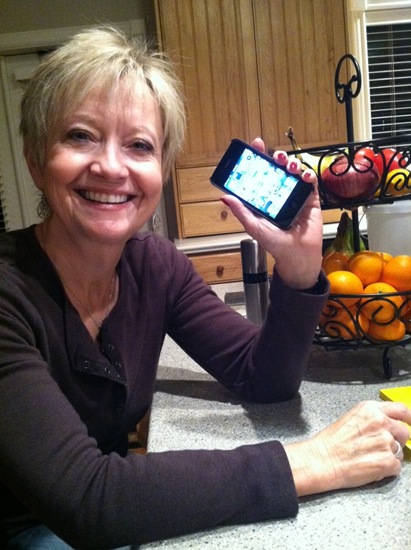
she recently got an iphone and i promised her i’d give her a tutorial on various aspects of the phone. i have to hand it to her, she is a lot better at learning to use her new phone than my bosses are. they are a tad slower to picking up on various technology tricks. i taught one of my bosses how to copy and paste the other day and he was amazed. and yeah, they are probably reading this.. so, hi, guys!
anyway, while i was teaching my mom how to use her iphone, i was showing her various apps that i love. i thought i would share a handful of my favorite iphone apps with you guys. sorry to those who have no use for a post like this, come back tomorrow!
my favorite app is probably instagram, but that’s old news.
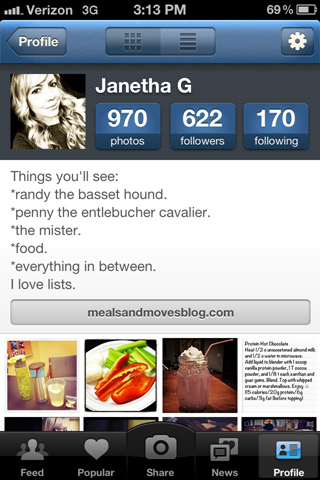
if you have instagram, though, and wanna be buddies.. my handle is @janeeetha. for you non-iphone users, you can go to webstagram to view anyone’s instagram feed, as long as you have their handle. also, instagram users can login to webstagram to view their instagram feed online—you can even like and comment on photos from your computer. just a little FYI.
aside from instagram, here are five apps i use regularly and love.
list
cost: $1.99
oh man. you had to know that this list-loving-lady would love a list app. this one is fun because you get to have a cute icon next to each list. YES, that was a selling point for me. the little things, folks.
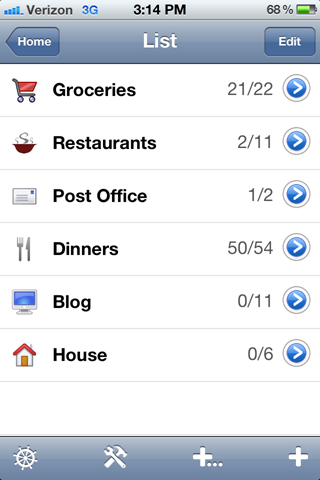
this app is pretty simple with no frills. it lets you have separate lists. within each list, you have the items. when you want to check an item off, it greys out and goes to the bottom of the list. when you uncheck it, it moves back to the top.
if you want to delete the item from the list entirely, you swipe right and delete it.
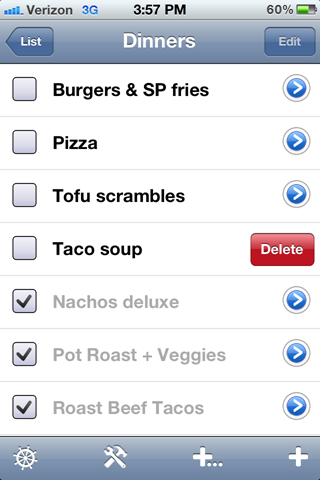
if you are wondering why you would want to keep something on the list after you’ve completed it, let me tell you. i have a “dinners” list. i have tons of dinner ideas that i have made in the past. when meal planning for the week, i scroll through all the checked off meals. if i see one i want to make for the upcoming week, i uncheck it and it brings the item back to the top of my list.
i also use this feature for grocery staples. i have my grocery list, and things like eggs, milk, bread, bananas, etc are things i buy weekly, so when i throw the item in my cart, i check it off and the item goes to the bottom of the list and is greyed out until i uncheck it again for the next week. however, if i have something on my list like soy sauce (which is something i buy every few months, if that) then i will do the swipe and totally delete it.
got it?
camera+
cost: $0.99
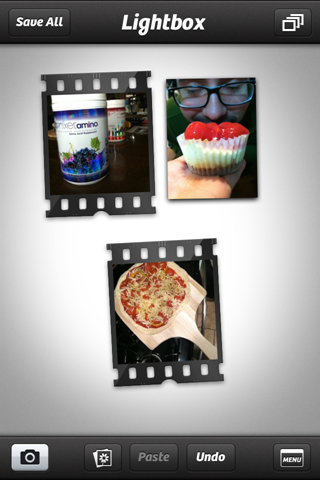
this app takes photos, but i usually don’t use it to do so. i just use the camera on my phone and then use camera+ to edit.
it has a lot of fun filters and is entertaining to play around with.
here are a few images that i made in camera+:

fun.
whole foods market recipes
cost: free
this app has a lot of features, including a shopping list page and a whole foods location search… but the real reason i like it is for the on-hand feature.
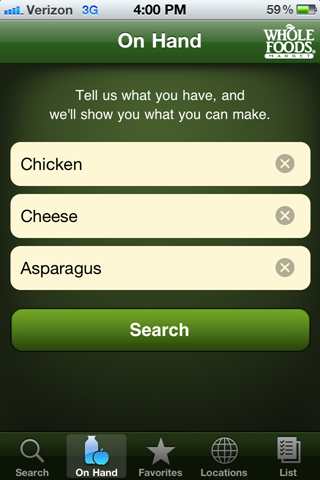
you can plug in what you have on hand at home and it will suggest recipes using those ingredients. you don’t have to be shopping at whole foods to take advantage of this feature!
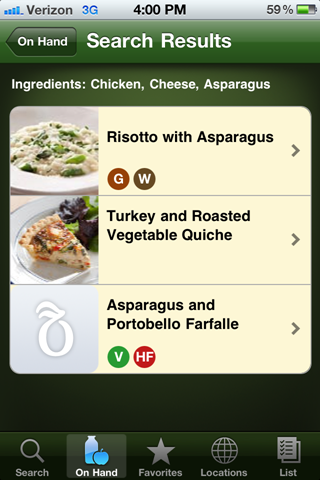
if you make a recipe and really like it, you can add it to the favorites section.
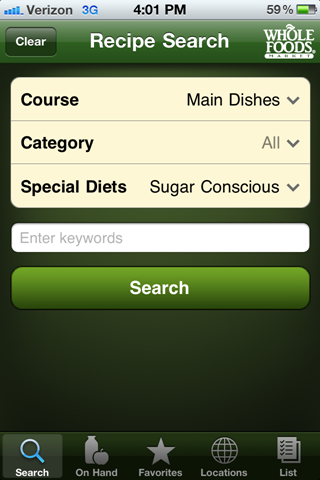
another cool feature is you can search recipes by course, category, or special diet.
diptic
cost: $0.99
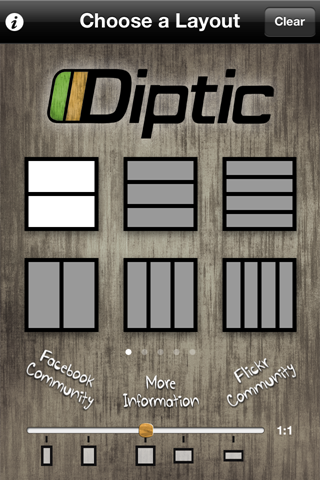
this is another photography app. it lets you put multiple photos into one shot. there are several frame options and you also get to customize the border (color, width, shape).
diptic lets you export the image directly to other apps like facebook, twitter, or insagram. it’s fun to play around with.
here are a few of my collages made in diptic:

obviously i am a fan of the 4-square layout, eh?
scramble with friends
cost: free version with ads or pay $0.99 for the version without ads
everyone is already playing words with friends, which is like scrabble.. but the latest on the game front is scramble with friends, which is like boggle.
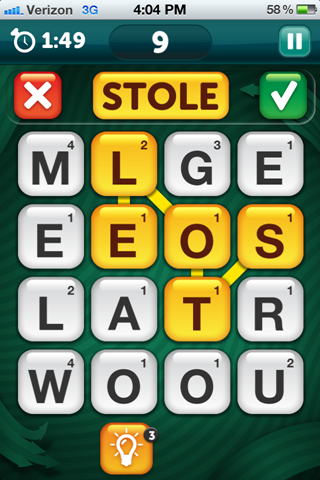
my family and i LOVE boggle, but rarely get together to play it, so this game is a dream come true for us.
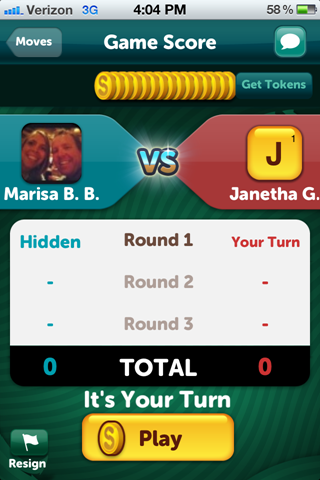
the only downfall is you have to use “coins” to play, and you can either buy coins (lame) or just wait for the clock to tick and you make more coins after a certain amount of time has gone by. i guess this is only a problem if you are playing several games at once, though.
and that’s that. again, sorry for those non-iphone users who really had no use for this post. promise i will be back tomorrow with a little something for everyone.
well, i am off to the gym for legs and then i will be making garlic burgers & sweet potato fries for dinner. it’s a high carb day!
Q~
as my girl holly says, sharing is caring! what are your favorite apps?
xo. janetha g.



save 10% with code
MEALSANDMOVES


Facebook
Twitter
RSS
Email
{ 50 comments… read them below or add one }
← Previous Comments
Well, I pretty much need to download every one of these apps. And that’s that.
I’m so sad about sarah. I was actually a fan because I’m into skiing (the ONE sport I like!).
I love posts like this. you are a genius when it comes to technology. I feel like an idiot. Even my toaster hates me.
And so lovely to see Mama B make a cameo. Give her a hug for me.
I love the effects on your Instagram photos! I’ve been dying to know how you did it. Just downloaded those apps!!
I wish I had an Iphone! If you were hosting a football watching part with about 8 friends what would you serve?
I think the app I use the most is HIITrainer (or something like that). It’s like a Gymboss interval timer, but for free. I use it all the time for BodyRock workouts.
Oh ya know.. Instagram, diptic, and all game ‘with friends’.. I also like temple run, hipstamatic (my before instagram app), chiradium (pictionary) and myfitnesspal..
Cool, thanks for sharing those…. I’m excited to try out the diptic one…. I don’t have tons of apps, but that one looks cool!
The one I love that really helps me with Weight Watchers is the dietSNAPS app…. it’s a great visual food journal… :)
Diptic, cool. I think I will download it. I want something that makes collages.
Camera Plus, I have it, don’t use it. Seems like “more” than I need. Which is why…
Instagram is perfect. It’s just enough with the filter choices, but not too hard or confusing and I love it and use it daily. As in 7987 times per day :)
The planning and list apps, I dont use those either. I actually try to use as few apps as possible lately to just…be less dependent on my phone.
I keep hearing about instagram, so can someone explain to me what instagram or webstagram actually do. I tried googling them but the site wasn’t that helpful. Thanks.
It is kind of like twitter, but with photos. You can follow people, and they don’t have to follow you back.
I love it! I check it multiple times a day :)
Kristen
indianapolis
instagram handle: supakshakur
I use MealBoard to menu plan and make my grocery list. It’s a bit of a pain to enter each recipe and ingredients, esp on the iPhone, but once they’re in it’s pretty quick to make a meal plan.
I love “my fitness pal”…. It’s a fantastic tool for counting calories.
I just got an iPhone for Christmas, so this post is perfect for me!
I know I am definitely getting List–that sounds like it was made for me!
My favorite apps thus far inlclude the WF recipe app, Lemon (organizes receipts when you take pictures of them), Lose It!, ColorSplash, and the Mint.com app.
i have 80% of those. /iPhone addict. my mom got an iPhone at the start of this new year after having a flip phone for the last six years?! i was like um…time to update mum! she loves it!
harumph…….there sure was a lot you didn’t have time to show me :)
Sure do believe I need another session with little miss smarty pants! I do feel a few pounds lighter after cleaning up my pages – yes Marisa I know you showed me how to do it at Christmas but I had forgotten!!
Why are you playing scramble with Marisa B.B. and I’m playing with Ermakaluso?!?
Sure do love you and I’m so glad I gave birth to such a smart girl!
p.s. yes, I’m heartbroken for darling Sarah’s family, such a tragic loss…..you boarders and skiers out there be careful!
so fun! I love apps :) instagram for sure. I want camera+ but I’m cheap and never buy apps ;) Love groupon and living social apps too.
Mmmmm Marshall….
I mean….my favourite app is mint.com
I’m trying to be all budget conscious and this really helps me out.
Love the wholefoods app :D
Thank you for this!! Downloading those two picture editing ones now!
I really like “Unblock Me” – a puzzle app!
I am trying to play scramble with friends with you and you aren’t responding! I am much better at this game than words with friends. (I’m djtippietoes, by the way, take your turn!)
I obviously have a little addiction.
i think of you every time i use instagram. i’m pretty sure you’re the only one who follows me!
seeing that I
one… don’t have and iPhone
two…. don’t even have a working phone
three…don’t have a mac
I am jealous and living vicariously through you. So rock on my app happy friend.
iAssociate 2 is so addicting – it’s a word association game!
Instagram is awesome. But I rarely use it. I use the Photoshop app (free) for color adjusting and contrast. I use Photoshop every day at work, so I enjoy applying my own adjustments for lighting and saturation. I had the Whole Foods recipe app a while back. It was great, but there were so few updates, I deleted it.
I have some boring but super helpful apps to recommend. First…fun game: TinyTower—my tower is 18 stories
Productivity apps: TD Bank (awesome app), TV Guide (yay!), PSExpress (Photoshop), and HuffingtonPost.
I love seeing the apps people use, and I LOVE the Whole Foods one, as I’m the person who totally stares at a full fridge and has no idea what to cook. I recently downloaded CardStar (although I call it CardShark in my head), and I like it. It stores keychain card thingies in your phone. I HATE HATE HATE those card things, so I usually “lose” them and just give my phone number, but I would actually keep track of the cards and scan them in going forward.
I don’t have a smartphone yet….It has come to my attention that I still live in the dark ages! I’ll be getting a new phone when my current contract runs out though. I honestly can’t wait…my current phone is a dud…it likes to decide what parts of a conversation you get to hear and also when that conversation should end. You could call my phone bossy…but I just call it old and senile!
Just downloaded Diplic, so excited!
My favorite apps:
1. Gym Boss- interval trainer app
2. Nike Training Club- it’s a free personal trainer that will kick your butt
3. Flipboard- combines news and updates from different sources, so you don’t have to switch between apps and websites.
Thanks for the suggestions!
I finally am getting on the ‘app train’ and got Words with friends but I’ll have to try scramble!
By far my favorite app is Cozi – It’s a shared calendar, shopping list, to do list for couples/families. It makes planning/organizing so much easier. My husband can add his appointments/work events on the calendar so when I’m trying to set up dates, trips, etc it makes it easy. It’s also good for him since he doesn’t have the best memory and it sends a text as a reminder that an event is coming up. The shared shopping list is also pretty convenient because he can add his manly things that I would have no idea that his running low on (razors, deodorant, etc).
Thanks for the great app recommendations. I’m going to have to download a few of them.
I am seconding the recommendation for Cozi. My husband and I use it to keep track of our family and work obligations, shopping lists, to do lists, etc. We can add activities or updates to our lists using our phones or the computer, and it will automatically update the calendar on each person’s phone. It’s awesome!
I also love My Fitness Pal. I don’t regularly count calories (it can be a slippery slope for me), but when I have gained a few pounds, I will use it to track my food intake and my exercise for a few days to see where I need to make adjustments. It also provides a breakdown of all of the vitamins, minerals and nutrients I have consumed at the end of the day, so I can use it to see if I am missing any key nutrients in my diet.
I also love the pinterest app since I’m a pinterest addict. I use it any time I’m waiting somewhere and just want to pass the time.
k. i went immediately to apps to purchase “list”…. i can’t find it!!! help!!! (please) i found “list buddy” for 1.99…. is that it??? thanks :)
I downloaded scramble earlier in the week and have become addicted! I recently downloaded Family Feud too… Poynt, Cozi, Epic Fail, How to Cook Everything, my gym’s app, iHoroscope, and Starbucks are a few of my top used apps :) I downloaded GymPact last week but haven’t started using it yet- not sure if I want to commit, in case I lose some $$$ haha!
I’ve gotta try this Diptic business.
My favorite app has gotta be heytell… I’m lazy and don’t love talking on the phone, but it’s so much easier than texting. it’s like an iPhone walkie talkie, and I feel like I’m 11 again when I use it.
OBESESSSSSSSSSSSSSSSSSSSSSSSSSSSSSSED WITH HEYTELL!!!!!!!!!!!
wish i could get instagram on my droid!
hooray for a date with momma b! even if it is just because she’s technologically challenged ;)
xo.
I guess I am going to have to get instagram!
I had no idea about that Whole Foods app! You may have just changed my life. :)
obvi i’m obsessed with the pinterest app BUT i’m also head over heals the new organizer app which lets you merge organizers with someone else (its free!) not that i have anyone to merge with and i’m just realizing that google calendar merges into the iphone calendar. uh WHAAAAAAAT
Shane spent like 10 minutes last week trying to convince me that I would like the list app way better than the regular notepad. I did not succeed.
But now? I just downloaded list to my iPhone, hehe. I think I’ll tell him he convinced me though (it’ll be our secret!! :-P)
I didn’t know about that Whole Foods app (don’t even have one around me so I never even thought to look) so thanks!
And Camera+ is the jam. I love that picture of Marshall and the pup, super cool.
I love all your technical tips Janetha! I have a blackberry and I am lucky enough to figure out how to answer the phone!
Although, I take that back – a couple weeks ago it was 50 degrees (in Chicago in January which is crazy!) and I took a picture of myself running in a t-shirt and was able to post that picture onto Facebook. I felt so proud of myself!
Happy Friday!
I can’t wait to get an iphone! I currently have a blackberry and it sucks, I get a new phone in october and the iPhone will be mine :)
Aaaand now I need to get myself and iphone…you owe me $200.
I used to have to teach my co-workers really simple things like copy and paste and it always made me laugh – I don’t know how they got this far without knowing the basics?!
Pretty sure I need to get an iphone and THEN I’ll have use for this :) But I love those cool apps for photos! I think I am way behind the times on all that cool tech-y stuff. Hah
LOVE list, hipstamatic, icollage, epicurious and IG!!
I am so glad that we found each other on Instagram! I have the Whole Foods app but forget to use it…
Ok, so this was a wonderful post as a newbie MAC user :) ;)
I definitely got the list app as I am an list freak too :) !! I thought of you everytime I used it hehe <3
I really need to figure this instagram thing out… There is that picture challenge that some people are doing and I really want to take part, but I have NO idea how to use the app haha can u say clueless?
I LOVE instagram!! that’s by far my favorite one! Also, I want to try that camera app out, looks cool! :]
Dude. You’re kicking my @ss at Scramble.
TEMPLE RUN. most addicting game ever.